
Continuum's editor is deliberately text-first. Visual structure helps you read and manipulate a model, but the source remains portable, editable text.
Text is canonical
Text mode keeps the presentation minimal. Hybrid mode adds subtle block rails, selection chrome, drag handles, and region controls without replacing the text. Blank lines separate normal blocks; explicit regions can contain blank lines and still move as one unit.
Autocomplete uses earlier assignments and folder shared variables. Tab or Enter accepts the selected suggestion. Numbers, variables, operators, units, headings, comments, and errors receive semantic styling in both light and dark modes.
Contextual autocomplete
Type a calculation prefix such as sum, profit, rounded, or investment, or press Ctrl+Space to discover formulas. On macOS, Alt+I is an alternative when Ctrl+Space is assigned to an input-source shortcut. Suggestions appear in calculation contexts, including after an assignment's equals sign; ordinary notes and comments stay quiet.
The menu describes each operation. Select a suggestion to see the exact expression, input guidance, and a result preview. Preview results come from the same local evaluator and formatting as the result rail. Incomplete formulas show Complete inputs to preview; an invalid calculation shows its error. A preview does not change your document.
For example, with revenue = 12000 and costs = 8500, a profit suggestion inserts revenue - costs; profit margin inserts (revenue - costs) / revenue as % and previews 29.17%. Currency follows compatible monetary inputs: with revenue = 12000 in EUR and costs = 8500 in EUR, profit displays EUR and the margin is a plain ratio. Use an explicit annotation when introducing a monetary amount; Continuum does not convert exchange rates.
Discover a formula
Open this example in the editor, remove the margin expression, then press Ctrl+Space after its equals sign.
- 1—
- 212,000
- 38,500
- 43,500
- 529.17%
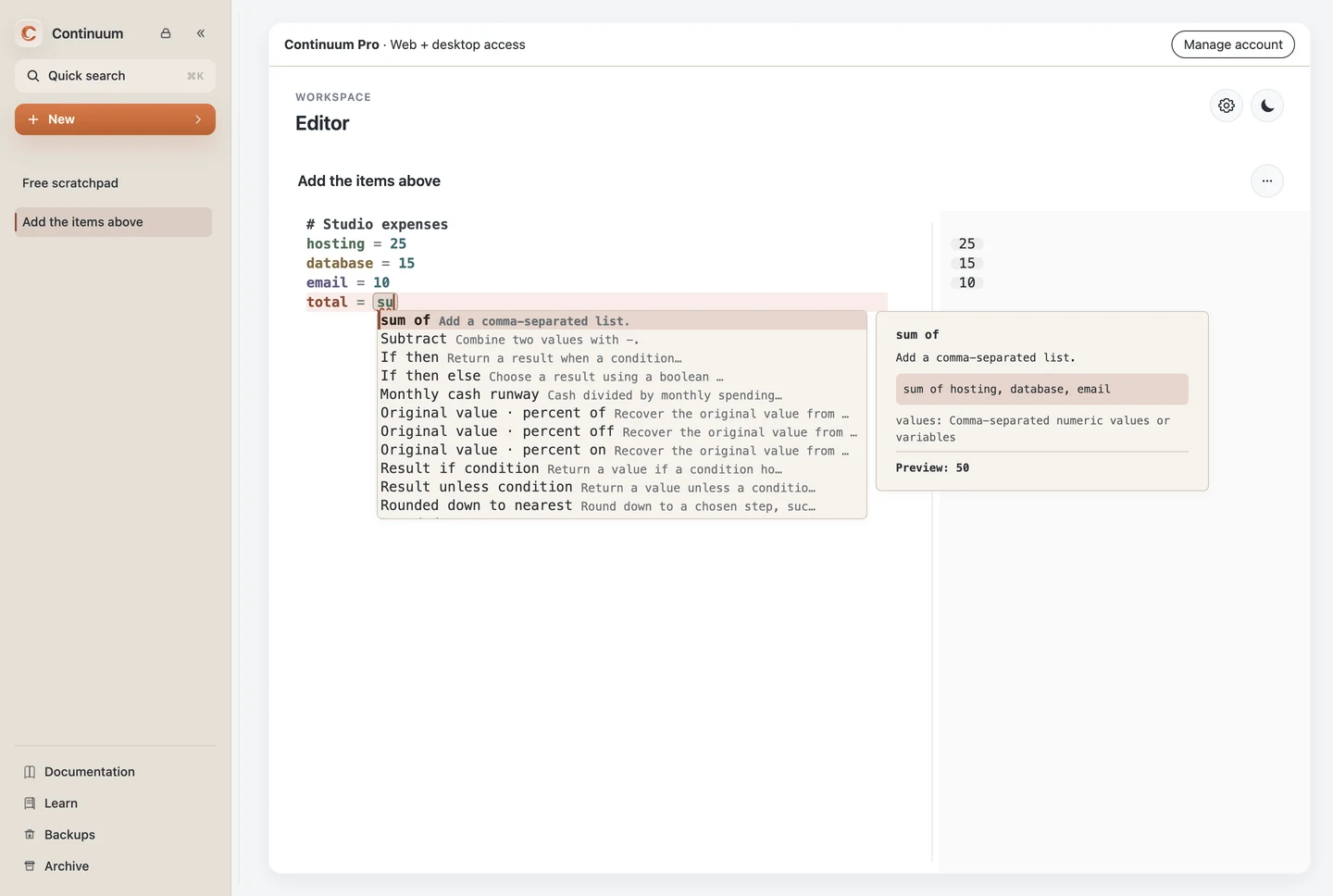
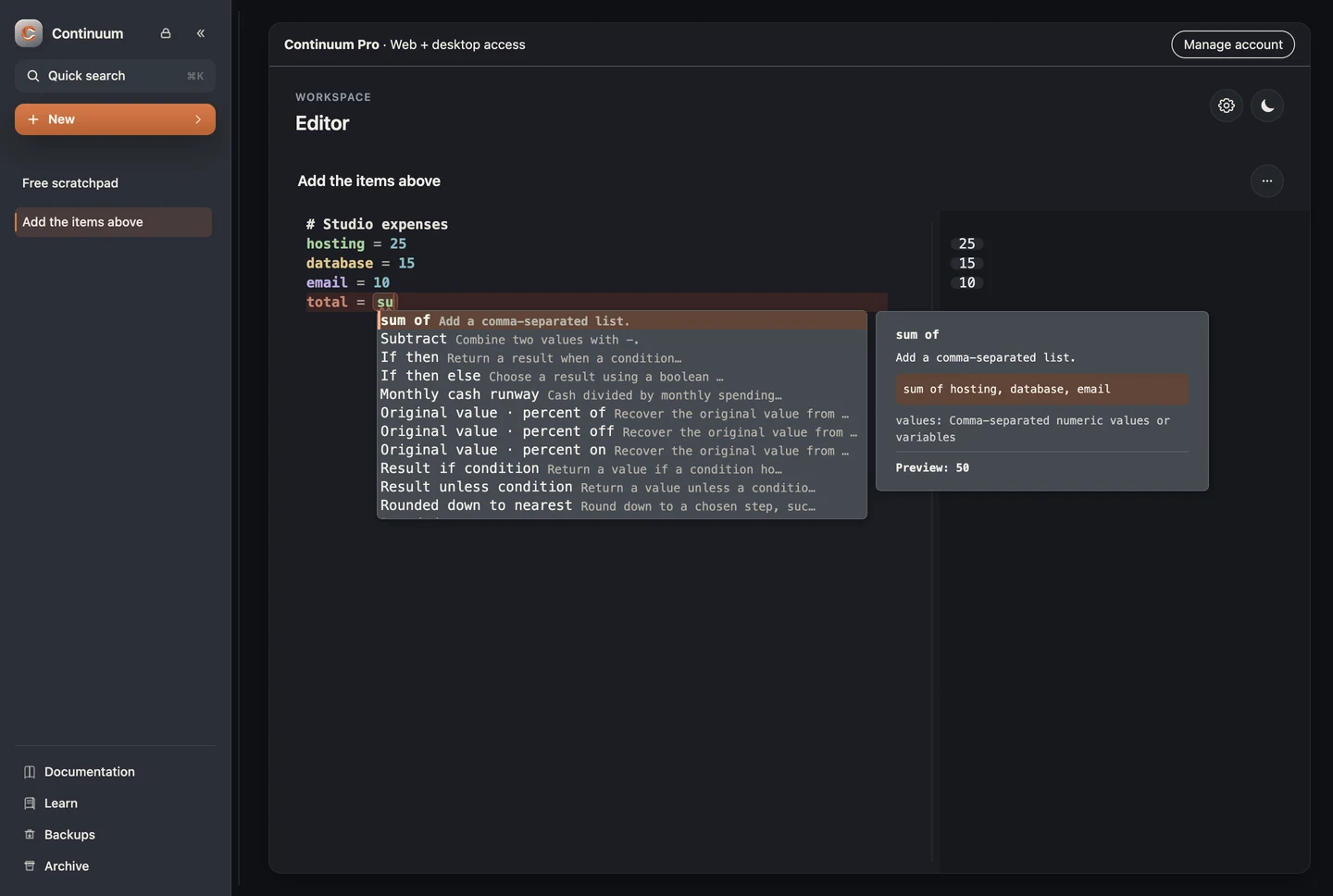
Accept with Tab or Enter, dismiss with Escape, and navigate unfinished input fields with Tab / Shift+Tab. Inside a placeholder, an active completion is accepted before Tab advances to the next field. Accepted formulas are ordinary editable text and can be undone.
Local rules prefer clear matches from the current section. Ambiguous names, repeated definitions, different periods, or conflicting currencies leave editable inputs rather than guessing. Aggregation fills an independent list of nearby values only when it can avoid counting a derived total twice. A simple monthly runway assumes constant spending and no offsetting income; use the Runway template for the fuller model.
Some rate, time, and investment phrases require literal numbers and units. Their placeholders explain what to enter, and unit/frequency suggestions help complete them. There is no AI request, account requirement for ordinary formulas, or new array syntax. Templates retain their existing Pro requirement and feature availability.
Structure and folding
Headings begin with #. Labels can introduce expressions with Label: expression. Everything after // is a comment and is ignored by evaluation.
# region Operating plan
Revenue: customers * revenue_per_customer
Costs: hosting + payroll
profit = revenue - costs
# endregion
Supported region pairs include # region / # endregion, # begin / # end, and the equivalent // forms. Hybrid mode exposes a collapse control and lets the complete region move as one block.
Variables and dependencies
Definitions receive stronger emphasis; references use stable, deterministic colors. Hover a reference to inspect its declaration, current value, currency, and containing region. Click to pin the popup. Put the caret in a reference and press Alt+Enter for keyboard access; Escape closes the popup.
Inspection leaves regions folded. Choose Reveal declaration to expand the enclosing regions and focus the source. The inspector follows the evaluator’s binding at that reference, including reassignment and folder variables, and reports unknown variables or evaluation errors instead of showing a stale value.
Dependency Glow travels upstream:
- the active value receives the strongest treatment;
- direct inputs receive direct glow;
- deeper inputs receive indirect glow;
- shared folder variables can appear as terminal dependencies.
Hovering or focusing an assignment result chip can trigger the same dependency view. Clicking any result reveals its source; the separate Copy action copies its value. These controls also work in Quick Calculation and active calculator nodes on Canvas.




Impact Mode
Impact Mode travels downstream after a meaningful numeric edit. Affected assignment results briefly preserve their previous value, animate the new value, and may show a signed delta. The edited root itself is excluded so the interface emphasizes consequences rather than echoing the input.
The animation window is intentionally brief, ignores tiny numeric noise, and yields to reduced-motion preferences. Dependency Glow is visually paused during the impact animation, then restored.
The screenshots use invented data in an isolated native development demo with the production 1.2.0 renderer. Change the documentation theme to see the corresponding capture.